
Blog
Social Media Management: Complete Beginner’s Guide


Table of Contents
- Understanding Social Media Management Tools for Local Business Growth
- Hootsuite
- Buffer
- Choosing the Right Social Media Management Tool
- Getting Started with Social Media Management
Understanding Social Media Management Tools for Local Business Growth
Social media management platforms are comprehensive software solutions that empower businesses to handle multiple social media accounts from a single, unified dashboard. These tools are designed to simplify the complexities of maintaining an active online presence, allowing owners and teams to focus on strategy rather than manual posting. In today’s digital landscape, a scattered approach to social media marketing often leads to missed opportunities and inconsistent brand messaging.
For local businesses specifically, leveraging social media management for local businesses means utilizing these platforms to schedule posts in advance, monitor audience conversations, and analyze performance metrics. Core features include content calendars for visual planning, automated reporting to track local engagement, and direct integration with local SEO efforts. According to industry analysis from Search Engine Land, effective social strategies combine scheduled publishing with active community management to build trust and attract nearby customers. This streamlined workflow saves significant time while ensuring a brand remains visible and relevant in community feeds.
At SEOLocal, we recognize that every local business has distinct objectives. Our AI-driven platform is designed to help optimize these social media marketing efforts efficiently. By leveraging the right tools, local businesses can maintain a vibrant online presence without locking into long-term contracts, a topic we explore further in our implementation case studies.
Hootsuite
Overview of Hootsuite
Another widely used platform is Hootsuite, a social media management dashboard supporting scheduling, analytics, and multi-platform posting. This tool streamlines social media marketing by centralizing account management and providing a unified hub for content planning.
Features of Hootsuite
As a leading social media management suite, Hootsuite delivers scheduling (queue-based and bulk), detailed social media analytics with ROI tracking, and multi-platform support for Facebook, Instagram, Twitter, LinkedIn, and YouTube. Team collaboration features include roles, permissions, and approval workflows. Third-party integrations with Canva, Shopify, and Salesforce further enhance its capabilities. Industry news source Search Engine Land emphasizes that a consolidated social media dashboard like Hootsuite is essential for maintaining consistent branding.
Hootsuite Pricing
Hootsuite tiers: Free (1 user, 5 accounts), Professional (~$99/mo), Team (~$249/mo), Enterprise (custom). Prices are approximate; check Hootsuite’s site for the latest.
Pros and Cons of Hootsuite
Hootsuite’s strengths are its intuitive interface, broad platform support, and detailed social media analytics. The social media management tool’s reporting is excellent. On the downside, advanced features come at a higher price, lower-tier plans offer limited automation, and the free plan feels restrictive. For most local businesses, the Professional tier strikes a balance, but the Team tier adds valuable collaboration.
Best For: Local Businesses and Growing Agencies
Hootsuite is best for small to mid-size businesses and growing social media agencies that need an all-in-one dashboard with robust analytics and multi-user capabilities. See our guide on the best social media platforms for local businesses for more options.
Now that we have explored Hootsuite, let’s compare it with other platforms.
Buffer
While Hootsuite offers extensive integrations, Buffer takes a different approach by prioritizing simplicity.
Overview of Buffer
Buffer is a social media management tool built for simplicity, making it particularly appealing to small teams and freelancers who need straightforward post scheduling. The platform’s clean, intuitive dashboard streamlines content queuing across multiple accounts, and its focus on ease of use minimizes the learning curve seen in more feature-heavy alternatives.
Features of Buffer
Buffer’s core features include one-click scheduling from a queue, a browser extension for on-the-fly sharing, and basic analytics that track post performance and engagement. The browser extension streamlines content curation by allowing instant sharing of articles without leaving the page, and built-in engagement tools let you reply to comments directly from the dashboard. It supports Facebook, Twitter, LinkedIn, Instagram, and Pinterest—the major platforms small businesses need for straightforward social media management.
Buffer Pricing
Buffer provides a Free plan, an Essentials plan for growing creators, and a Team plan for collaborative scheduling, with pricing that remains competitive for small teams.
Pros and Cons of Buffer
Pros:
- Clean, intuitive interface that prioritizes quality vs quantity in scheduling.
- Affordable starting point, ideal for freelancers and small teams.
- Reliable queue and timezone scheduling with a convenient browser extension.
- Quick sharing of articles without leaving the page.
Cons:
- Limited analytics depth compared to Hootsuite or Sprout Social.
- Fewer native integrations and no social listening or advanced automation.
- Best for straightforward social media marketing; not a replacement for a full-service social media agency.
- Not suited for complex multi-channel campaign management.
Best For: Solopreneurs and Freelancers
Buffer is ideal for solopreneurs, freelancers, and very small businesses that need a simple scheduling tool without enterprise analytics. For those combining scheduling with local visibility, our Google Business Profile setup guide is the next step. It’s designed for straightforward social media marketing.
For teams that need deeper analytics, the next tool in our comparison may be a better fit.
Choosing the Right Social Media Management Tool
With countless social media management options available, selecting the right one can be challenging. The difference often rests on platform support, analytics power, and team collaboration. A head-to-head comparison of Hootsuite and Buffer reveals distinct strengths for different business needs.
Both are powerful social media management tools, but Hootsuite supports over 20 platforms with robust analytics and advanced team collaboration, while Buffer focuses on simplicity and affordability, starting at just $6 per month and ideal for solopreneurs.
| Feature | Hootsuite | Buffer |
|---|---|---|
| Cost | Starts at $99/month (Professional) | Starts at $6/month (Essentials) |
| Supported Platforms | 20+ including Instagram, Facebook, Twitter, LinkedIn, YouTube | 8 including Instagram, Facebook, Twitter, LinkedIn |
| Analytics | Robust, custom report builder | Basic, no custom reports |
| Team Collaboration | Advanced, with roles and permissions | Basic, limited to Drafts & Approval |
| Best For | Mid-size businesses & agencies | Solopreneurs & freelancers |
Staying informed with the latest search marketing news from sources like Search Engine Land is crucial, as platform updates can impact analytics accuracy. Hootsuite’s custom report builder offers deeper insights for data-driven marketing teams, while Buffer’s simpler analytics may suffice for freelancers tracking basic engagement. Keeping up with industry trends ensures your social media scheduling platform stays competitive.
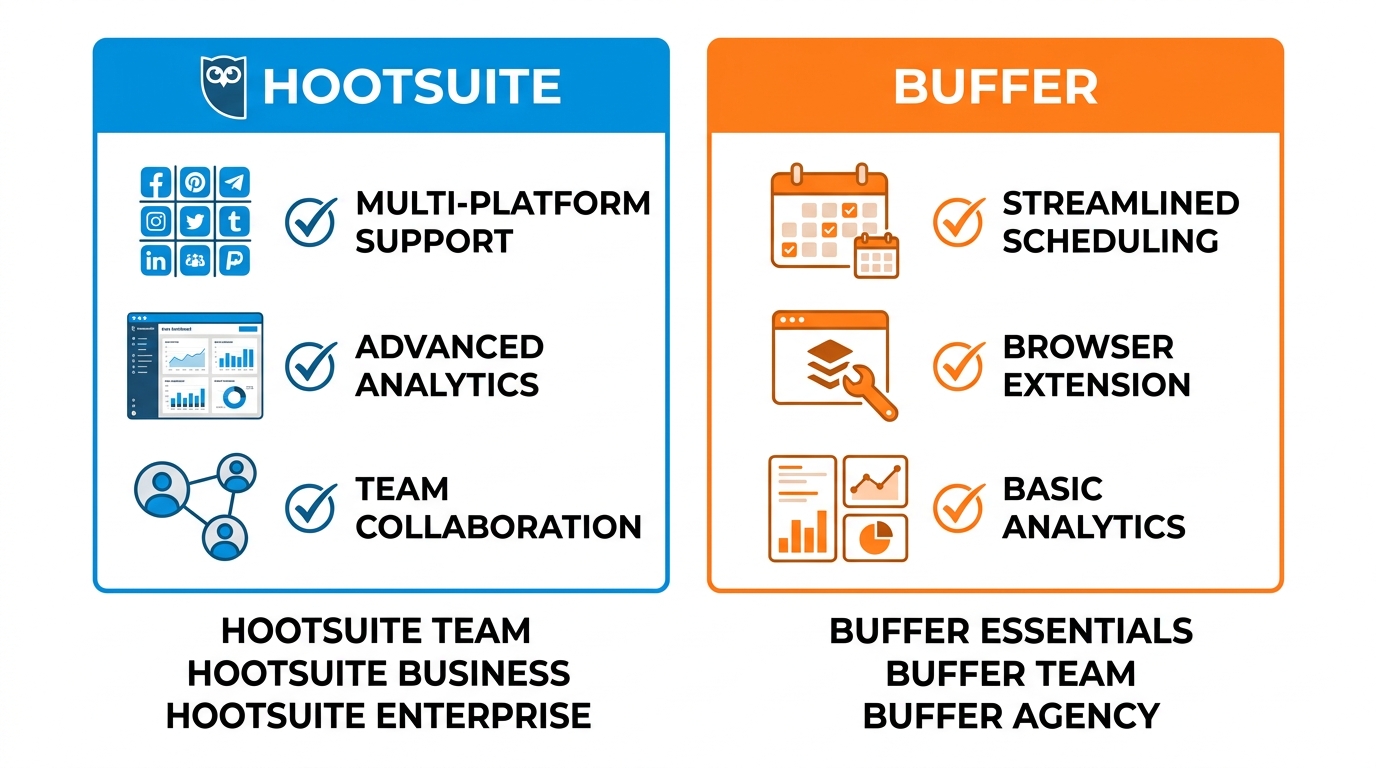
Hootsuite y Buffer cara a cara para la gestión de redes sociales
Ultimately, selecting the right tool depends on your specific needs. If you require advanced team collaboration and multi-platform management, Hootsuite’s higher price may be justified. For solopreneurs, Buffer’s affordability and simplicity are compelling. At SEOLocal, our social media marketing services can help you evaluate these options and implement the best fit for your strategy. We offer hands-on guidance as a dedicated social media agency to streamline your online presence. Our team ensures you leverage the right tool for sustained growth.
Getting Started with Social Media Management
Getting started with social media management begins with a clear understanding of its core components. We define social media management as the ongoing process of crafting, scheduling, and analyzing content while actively engaging with your audience across platforms. The primary goals are to build brand awareness, foster community trust, and drive meaningful business outcomes.
Effective social media marketing relies on a consistent posting cadence and a strategic mix of content creation, community engagement, and performance analytics. Partnering with a dedicated social media agency can help businesses navigate these complexities without diverting focus from daily operations. Your strategy should align with widely accepted industry frameworks from IAB resources to ensure professional and compliant content standards.
Integrating your social efforts with local SEO is a powerful multiplier; consistent posting signals fresh activity to search engines and supports local pack rankings. Our AI-driven local SEO approach automates routine tasks like scheduling and reporting, making it easier to maintain an active presence. We invite you to explore this risk-free with our no-contract 30-day trial.